Showing posts with label arma 3 eden editor. Show all posts

Monday, February 12, 2018

Arma 3, Loot Spawn System (Building Position Manual)


After many requests over the years, and another one most recently, I have now decided to release my loot spawner for Arma 3. The code is old as it was coded back in 2015 whilst I was learning how to code for Arma 3, but it still functions as intended.

With releasing my loot spawner to the public, I am also releasing the loot 'building position manual' portion... what is BPM you ask? Let me explain...

My BPM (building position manual) functions/mission lets you place building positions manually for any building, so if a building model has none or very few building positions you are able to add them manually with ease.

In order to gather the building positions from a building model, walk up to a building and press 'G'. If the building has no manually placed positions, and you want to add some, walk exactly where you want one, and press 'F' to add it (a yellow arrow will appear). Repeat this wherever you would like an extra position, once happy with it, paste the clipboard contents in to the buildingPosManual.sqf config file, save the file, then re-press 'G' within Arma 3 EDEN, and it will show you that there is an existing config entry for that building, it will remark all the yellow arrows with red, and then mark all the same type of buildings on the map with green markers (so you don't go to the same one twice).

vanilla (green) and manual placed (yellow) building positions
config entry saved, vanilla (green) and manual placed (red)
all the same building models marked as green (has config entry already)
Want to also do building positions for 'ruins'? You can do that also... walk up to a building, press 'T' to destroy it, press 'G' to gather the building positions... if there is no config entry for manually placed positions, add them with 'F', paste the clipboard contents in to the config file (buildingPosManual.sqf), save, press 'G' again in Arma 3 EDEN... and repeat the process for another building.

gathering building positions of a building ruins (vanilla positions shown as green arrows)
after adding in manually placed positions (manual positions shown as yellow arrows)
after pasting and saving the config entry (buildingPosManual.sqf) and re-pressing 'G'

I have created this to make it MUCH easier to add in manual building positions to just-about-any building within Arma 3.

A config entry looks like...

_buildingPos_Land_Shop_02_V1_ruins_F = [[4.03613,-2.86426,-0.550273],[5.79248,-0.078125,-0.517672],[0.841797,4.18164,1.41129],[-3.61621,4.36719,3.29467],[-1.95508,4.28516,3.29019],[0.131836,2.4707,3.29724],[-1.25391,1.12305,3.29914],[-3.521,1.20898,3.29933],[-5.19238,0.385742,3.29933],[-5.28711,1.77637,3.29933],[-5.55273,-2.78809,-0.733989],[-3.47412,0.875977,-0.55027],[-3.44727,3.69922,-0.55027],[-1.07324,4.38965,-0.550275],[5.2793,4.00195,-0.0608864],[-0.0263672,-2.97363,-0.55028]];

So where can you use all these manually placed building positions via the config file? Well, included with the 'lootSpawnerBPM' files are the actual loot spawner script/function/code that I created back in 2015.

Once you have your configuration file exactly how you want it, you can then spawn the loot... and this is how to do so...

First up, locate and open the lootSpawnerConfig.sqf and configure it how you would like the loot spawner to behave. Once complete and saved, go back in to Arma 3 EDEN whilst in-game (SP or MP), open the debug console and paste in...

[position player,250] execVM "lootSpawner\lootSpawner.sqf";
...then execute the code.

This will make the loot spawner spawn loot around the position of the player at a radius of up to 250 meters (500 meter diameter). It will/can damage buildings, open doors on buildings (config entries), find ALL building positions (vanilla AND what is contained within the 'buildingPosManual.sqf' config file)... then calculate and spawn random loot at these positions.

This lootSpawnerBPM loot spawn code can be adapted for use in any mission you choose. Update the config entries for manual building positions, update the lootSpawnerConfig.sqf, place the directory structure within your own mission, and execute the script as you need. The scripts are very plug, execute and play... it's just up to you how you want them to function.

I hope I have explained well enough what the loot spawner BPM is about and how to use it, along with the actual loot spawner. Download it and check it out for yourself.

Where to get this code? You can check it out and download it on my github 

DISCLAIMER... This 'lootSpawnerBPM' code release will have very little to no support from me... so if you intend on using it and don't know a lot about Arma 3 scripting/coding/functioning, or how to place/configure/execute this code within your own mission... then I suggest you learn.

Until next time...

-soul.


Tuesday, June 13, 2017

Arma 3, 3DEN - Stratis Enhanced (Custom Compositions)

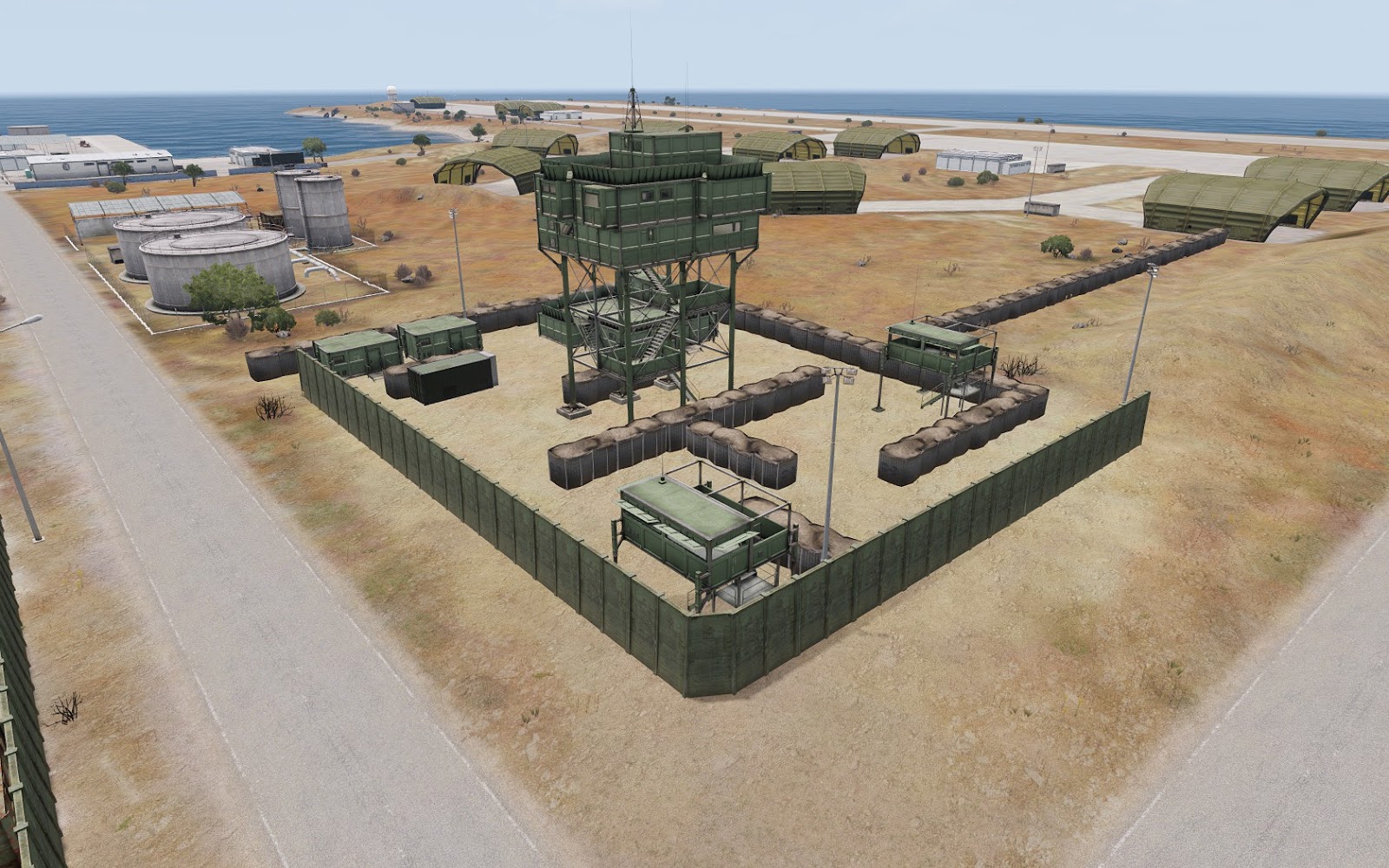
A while back I created a lot of building structures (compositions) within the Arma 3 map of 'Stratis' in order to 'enhance' the play-ability, so that there are more points of interest within game modes and missions.

After originally giving the building structures (towns/bases/etc) to a select few within the Arma realms, I have now decided to release them to the public (development scene) so that they can be used by anyone.


You can find the file(s) required to import the
Stratis Enhanced (Custom Compositions)
in to your own mission file here.

Please read the 'stratisEnhanced.txt' file for full instructions
on how to import any or all of them.


Below are some screen shots of what I have created within the Arma 3 'Stratis' map environment...


... each one of these compositions took a fair amount of planning and construction in order to achieve a 'Stratis' vanilla look and feel (as if they were created by BIS themselves). I hope many will find them of use within their own missions/creations.

If you find them of use... I'd be interested to check out what missions/modes they are used in... so send me a msg. :)

Until next time...

-soul.

Tuesday, June 14, 2016

GitHub, Arma 3 Scripting And More...

So I signed up for GitHub last year, but haven't used it... until now.

As my last blog post shows, I was working on building up the map of Stratis for use within A3Wasteland, as I found that the vanilla mission had lacking buildings/towns/bases, or were just awkwardly placed on the landscape. In doing so, I have also changed a lot of things within my own build of A3Wasteland, to which I shall also be uploading to my GitHub in due time. The changes consist of the in-game feel (more towns/bases, changed territories, new missions and such), as well as a heap of scripting tweaks within the mission file itself.

You can also find 'stand alone' (or add-on) scripts of mine that I wrote for ArmA 3, as well as various game related code/code snippets and scripts on my GitHub.

At current there are only a few of my custom scripts up on GitHub, but expect this to expand over time.

GitHub will be the place to check for my future code and code updates.

You can find my GitHub linked on my social icons, or you can check it out here.

-soul.

Tuesday, April 19, 2016

Arma 3, Stratis + EDEN Editor (Enhancements)

When BIS introduced EDEN 3D Editor (3DEN) for Arma 3 recently, I thought I'd jump at the opportunity to become creative in the 3D editor and add to the lacking map of Stratis for towns and bases.

The learning process of placing and manipulating objects was relatively easy due to the fact that I have used M3Editor in the past for creating within Arma 3 in a 3D environment (props to the author Maca134).

It didn't take me long to adjust to 3DEN, and get creating. Over the last month or so, in my spare time I have been designing and creating bases and towns on the map Stratis. I had the intentions of releasing it all for use within A3Wasteland (custom addition for a gaming community). I have recently approached AgentRev from A3Wasteland to offer what I have created to them to put any or all of what I have created into the 'stock' mission file (though I'm still yet to get a response at the time of this blog post).

As you can see from the screenshots of what I have created below... these are not just 'thrown together', as a lot of planning, thought and adjustments were made to make them appear as if they were 'stock/vanilla' map objects that BIS had designed.

Check out some of the screen shots below, or you can view the full album on imgur here.


If you have interest in using any or all of what I have created in your mission/mod for Arma 3 map Stratis, feel free to send me a private message on Twitter or Reddit.

In due time I have plans of releasing each created part (individually) or as a whole to either my blog as downloads or on the Steam Workshop... but no ETA for when that will be.

Creating these additions to the map Stratis is no easy feat, as they took quite a lot of time to create, and then fine-tune. Haven't checked out the 3DEN editor yet? Give it a go.

I will create more generic 'bases' in the future within the virtual environment, so I can then export to a script that can be run dynamically (relative positions) to place a base anywhere on a map, facing any direction (scripts already coded), so that any mission makers can easily run the command in their mission (init.sqf or manually) and the base(s) will appear before them.

Anyway... just thought I'd show what I have been upto within the Arma 3 EDEN editor since it's launch.

-soul.